
A living room reset is a short return-to-home routine after normal use. It removes what clearly leaves the room, returns approved items to assigned places, restores walking paths and seating, and prepares the space for its next use.
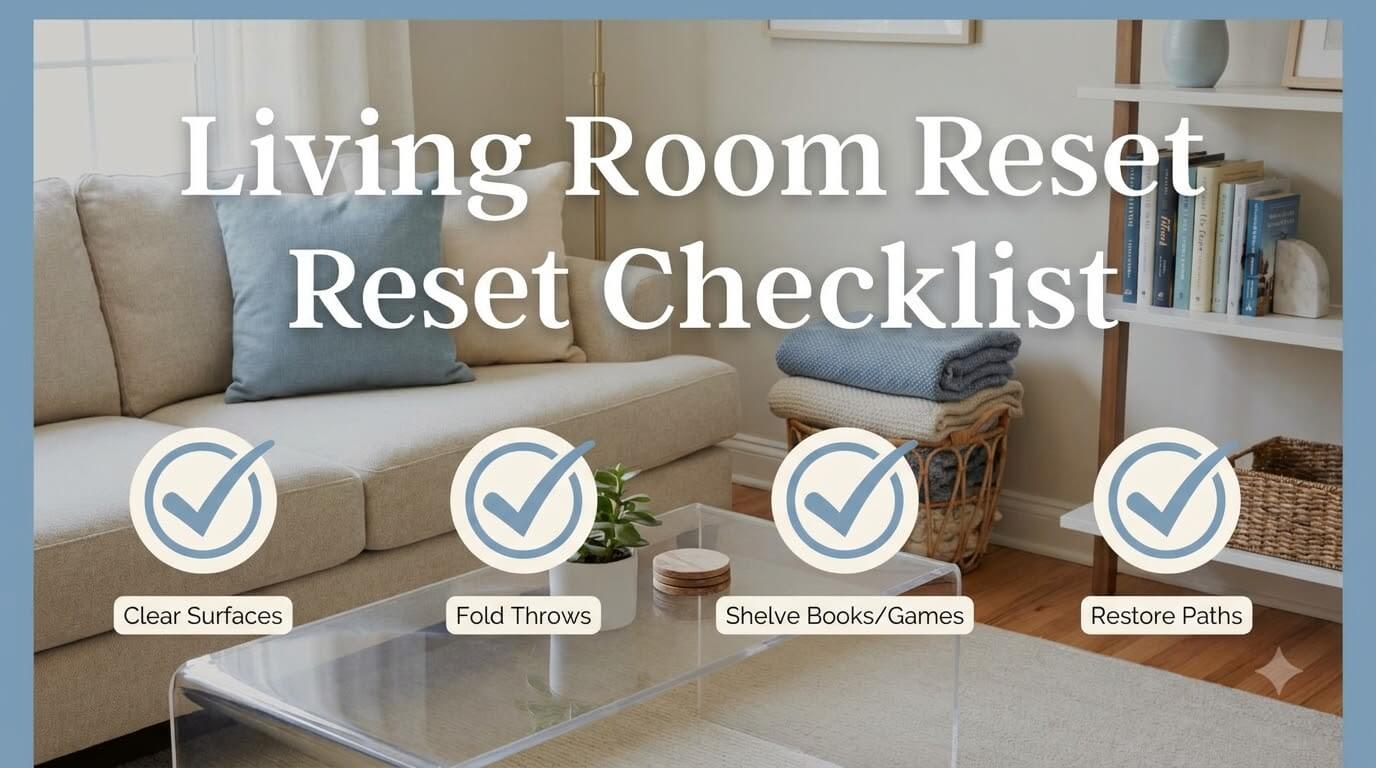
The fastest reset depends on simple destinations already being in place. Remotes, throws, books, and games need permanent homes, while personal belongings, paperwork, toys, and work gear should leave unless the household intentionally keeps a limited category there.
Quick Answer: Reset Means Return, Contain, Relocate, and Restore the Room for Its Next Use

A useful reset has four actions: return, contain, relocate, and restore. If you keep making new storage decisions during the routine, handle those decisions separately rather than extending the nightly reset.
Reset versus cleaning
Resetting deals with placement and function. You may remove a used cup, pick up a wrapper, or clear crumbs if they are obvious, but vacuuming, dusting every surface, treating stains, washing upholstery, or polishing furniture belongs to a cleaning routine. Keeping those jobs separate makes the reset easier to repeat on busy days.
Reset versus decluttering
Decluttering decides whether an item stays, moves elsewhere, or leaves the household. A reset assumes that decision is already made. If unused magazines, duplicate cables, abandoned toys, or unwanted decor keep returning, schedule a deeper decision session.
Reset versus storage redesign
A reset uses the storage you already chose. It should not require measuring for new furniture, buying another basket, rearranging a bookcase, or creating a new drawer category every evening. When an assigned home is too small or too inconvenient, note the problem and fix the system later.
When to Use a 5-Minute, 10–15-Minute, or Weekly Reset
Choose the shortest routine that restores normal use. A lightly used room may need only a few minutes. A family movie night or game night may need a longer return pass. The weekly check is for finding repeated overflow before it becomes the new normal.
Five-minute visual and traffic-path recovery
Use the five-minute version when the room is basically organized but looks used. Remove dishes and obvious trash, clear the main route through the room, return personal items that have obvious homes, and put the most visible shared categories back. Do not open every cabinet or reorganize drawers.
Ten-to-fifteen-minute full category return
Use the longer reset after heavier daily use, entertaining, family game time, or a weekend afternoon when several categories are out at once. Move through the room by category so you finish one type of item before starting another: dishes, personal belongings, media accessories, table items, textiles, books, games, toys, and papers.
Weekly check for overflow and system failure
Once a week, or whenever resets start taking longer, check whether containers still close, shelves accept returned items, and surfaces have gained unplanned permanent objects. The schedule can stay flexible. Utah State University Extension emphasizes predictable routines that fit a household’s needs in its guidance on family routines.
5-Minute Living Room Reset Checklist

When time is tight, work for function rather than perfection. Start with the items that prevent people from sitting, walking, or using the room normally.
Remove dishes and obvious trash
- Carry cups, plates, bottles, and food containers to the kitchen.
- Collect wrappers, tissues, junk mail, and other obvious trash.
- Do not stop to wash dishes or sort household recycling in the living room. Route items to the correct area and keep moving.
Return personal items to their home rooms
Gather shoes, bags, clothing, headphones, hobby supplies, and other personal belongings that do not live in the room. If several people are involved, each person can take their own items. A temporary return basket can help during the pass, but empty it before the reset ends so it does not become permanent mixed storage.
Clear the main walking path
Pick up anything on the route between the doorway, seating, and the room’s main exit. Move bags, toys, chargers, games, blankets, and floor cushions back to their assigned spots. A clear route should not depend on stepping over a basket or shifting a stool every time someone walks through.
Put remotes, books, and throws back in their assigned zones
Finish with the high-visibility categories. Return remotes to their usual holder or console location, books to the shelf or current-reading spot, and active throws to their basket or storage furniture. Straightening these categories makes the room usable again without turning the task into a full room project.
10–15-Minute Living Room Reset Checklist

The longer version restores every major category without turning into cleaning or redesign.
Reset coffee and side tables
Remove dishes, paperwork, toys, empty packaging, and unrelated personal items. Return the small number of items the table is meant to hold, such as coasters, tissues, one current book, or a remote during active use. If a tray has become a pile of unrelated objects, empty it instead of making the pile look neater.
Reset media accessories and chargers
Return controllers, headphones, remotes, charging cables, and other approved accessories to their permanent locations. Coil or place loose cables in the way your existing system expects. Do not disconnect or reroute powered equipment just to make the console look cleaner. If remotes, controllers, or cables are the recurring failure point, rebuild the TV stand and media console system rather than lengthening the nightly reset.
Fold or contain active throws
Collect throws from the floor, seat backs, and unused chairs. Fold them loosely or place them in their assigned basket, ottoman, cabinet, or shelf. If a textile is wet, damp, or noticeably soiled, remove it from the storage routine and handle the care issue separately rather than hiding it in a closed container.
Return books and board games
Put finished or inactive books back on shelves and return games to their assigned cabinet or shelf after checking that obvious loose pieces are back in the box. Do not rebuild a damaged game box or reorganize an entire bookcase during the reset. Set aside a problem item if it needs more attention.
Route toys and paperwork out of the room
Return toys to the child’s normal storage unless the household intentionally maintains a limited living-room toy zone. Papers should move to the household paper system rather than being stacked neatly on the coffee table. The reset is complete when these categories leave the room, not when they are hidden in a larger basket.
Reset the Media Zone
The media area tends to collect both legitimate accessories and unrelated objects because it offers shelves, drawers, and a wide top surface. Reset it by distinguishing equipment from everything that merely landed there.
Return remotes and controllers
Put remotes in their permanent holder, drawer, tray, or console compartment, and return controllers to their charging or storage zone. A remote can stay near seating during use, but it still needs one permanent end-of-day home.
Put charging cables and headphones back
Return loose charging leads, adapters, and headphones to the correct compartment instead of pushing them behind the console. A good test is whether the next person can identify and retrieve what they need without pulling out a tangled bundle.
Remove unrelated papers, dishes, and personal items
Console tops and open shelves should not become secondary landing strips. Take mail, receipts, cups, keys, school items, and personal electronics to their proper destinations. Keep only the items that support the media zone’s actual use.
Keep device vents and access points unobstructed
Do not use the reset to pack objects tightly around active electronics. Follow the manual for each device and keep ventilation openings clear. Xbox, for example, tells users not to block console ventilation openings in its official positioning and ventilation guidance. The exact clearance and orientation should come from the equipment you own rather than from a universal rule.
Reset Coffee and Side Tables
Tables near seating work best when their active inventory is deliberately small. The reset should restore usable surface area without creating a decorative arrangement that has to be rebuilt every night.
Remove dishes
Carry drinkware, snack bowls, plates, and food packaging out first. This is a routing task. Wiping, polishing, stain treatment, and material-specific care can happen during cleaning if needed.
Return current reading or remotes to their permanent homes when not in use
If someone is actively reading a book, one current item can stay in the defined reading spot. Otherwise, put it on the shelf. Remotes can remain near seating during use, but return them to their assigned home at the end of the session if that prevents them from getting lost.
Empty miscellaneous surface clutter
Route coins, hair ties, medication containers, chargers, pens, receipts, toys, and pocket contents by destination. Do not sweep them into a tray unless that tray is their actual home. Unclear items can go to a small temporary decision spot outside the reset.
Keep only the table’s defined active inventory
The table does not need to be empty, only usable. Coasters, tissues, a side-table lamp, or one current book may belong there. New categories should not become permanent simply because surface space is available.
Reset Blankets and Throws
Active living-room textiles are easy to restore when their storage is close to the seating where they are used. The reset is not the time to manage guest bedding or long-term seasonal textiles.
Collect from seating and floor
Gather throws that have been left on the floor, piled on unused chairs, or spread across several seats. Check quickly for dampness, spills, pet accidents, or anything else that means the textile should not go directly into closed storage.
Fold or contain active throws
Use the storage method already assigned to them. A shallow basket may work for two frequently used throws, while a storage ottoman or cabinet may suit a larger household. Stop if the container is so full that blankets must be compressed, balanced on top, or pushed onto the floor.
Move guest or seasonal textiles to the proper storage system
A guest blanket that is rarely used or a heavy winter throw that is out of season does not need to occupy prime living-room capacity. Route it to the household’s linen or bedding storage after confirming it is clean, dry, and suitable for storage.
Reset Books and Reading Items
Books create visual clutter quickly because a few active titles can become several floor and table stacks. The reset should preserve current reading while returning the wider collection to shelves.
Return books to shelves
Put completed books and inactive reference books back in their assigned shelf group. Avoid creating a temporary double row or unstable horizontal tower because the normal shelf is full. That is a capacity problem to address during a separate organization session.
Put borrowed books in their holding spot
Library books and books borrowed from friends benefit from a distinct, visible holding place so they are not absorbed into the household collection. Return them there after use instead of mixing them randomly into the shelves.
Remove floor and side-table stacks that exceed active reading
Keep only the small number of books someone is genuinely using near the seating area. If five or ten titles keep collecting around one chair, move inactive books back to shelving and leave only the current choices.
Reset Board Games and Family Entertainment
After game night, the priority is restoring complete sets and clearing shared surfaces. A five-minute component check now can prevent a missing-piece hunt the next time the game is opened. If games repeatedly remain on tables, review the board-game storage system so complete sets can be returned without unstable stacking.
Return pieces and instructions
Collect obvious cards, dice, tokens, puzzle pieces, timers, pencils, and rule sheets before closing each box. If something appears to be missing, keep the set together and make a note rather than scattering other boxes while searching the entire room.
Put boxes back in the assigned shelf or cabinet
Return each set to the location chosen for its size, weight, and frequency of use. Do not force an oversized game into a shelf where the box bends or creates an unstable stack. If it no longer fits, leave it in a safe temporary spot and address capacity later.
Clear game-night items from tables and walking paths
Remove score pads, snacks, drinks, extra chairs, floor cushions, and unrelated items that were brought in for the activity. Restore the furniture and floor area to the room’s ordinary arrangement without turning the reset into a furniture-layout project.
Route Toys, Paperwork, and Work Items Out of the Room
Shared rooms often become crowded with categories that originate elsewhere. A reset works best when those categories leave instead of gaining a new permanent container in the living room. A reset works best when the broader living-room organization system has already defined what belongs and where it goes.
Return toys to the child-specific system unless an intentional limited living-room zone exists
Carry toys back to the bedroom or play area if that is their normal home. If the household intentionally keeps a small shared-space toy basket, return only the approved toys to that container and move overflow back to the child-specific system.
Move paperwork to the household paper system
Mail, bills, school forms, receipts, and action papers should not be sorted into a new living-room filing setup during the reset. Move them to the place where household papers are normally processed. If papers keep returning to the same table, the issue is likely the upstream paper routine rather than the table itself.
Return laptops and work gear to the home-office or personal-work zone
Close and relocate laptops, notebooks, work headsets, chargers, and folders when the living room is not their permanent workspace. If someone intentionally works there every day, define a compact mobile kit that can leave the shared surfaces at the end of the work session.
End-of-Day Family Reset
The easiest family reset is short enough that people know what they are responsible for and where the items go. It should not require one person to supervise every object in the room.
Assign simple shared responsibilities
Responsibilities can follow use: one person returns games, another carries dishes, each person takes personal belongings, and someone restores shared blankets and remotes. Adjust the division for age, mobility, and schedules.
Keep the routine based on existing homes, not new decisions
If a child, roommate, or partner has to ask where every item belongs, the storage system is too ambiguous for a fast reset. Labeling a drawer, choosing one remote spot, or limiting a blanket basket may be a separate fix that makes future resets easier.
Keep the routine practical and neutral
A reset is a household task, not a character test. Focus on specific actions such as returning books, carrying cups, and clearing the floor rather than using the routine to argue about who is “messy.” If conflict repeatedly stops the task, simplify responsibilities and reduce the number of shared categories that need daily handling.
Guest-Ready Reset
A guest-ready pass prioritizes access and function when time is limited. It should not hide a safety issue or replace cleaning that is clearly needed.
Clear seating and main surfaces
Remove belongings from sofas and chairs, clear used dishes, and return coffee and side tables to their normal active inventory so guests have usable seating and surface space.
Restore walking paths
Clear bags, baskets, toys, cables, and floor items from the routes guests are likely to use. Do not place overflow behind a door, at the top of stairs, or in a path just because it is less visible.
Contain active-use categories
Return throws, books, remotes, games, and toys to their usual containers. If a basket is already full, do not create a second temporary pile next to it. Move true overflow to its designated destination or leave the deeper decision for later.
Do not substitute a cosmetic reset for needed cleaning
If the room has a spill, strong odor, visible dirt, pet accident, or another condition that needs cleaning, address that issue with the appropriate method. A reset can clear access to the area, but moving objects around does not solve the underlying cleaning task.
Weekend System Check

The weekly check is where you notice friction before the daily routine becomes frustrating. You are not reorganizing everything. You are checking whether the existing homes still match the amount and type of items being used.
Check basket and bin overflow
Look for containers that are overfilled or holding unrelated categories. A throw basket filled with toys, mail, chargers, and books is no longer doing one clear job.
Check media-console overflow
Open the accessory drawer or cabinet and confirm that remotes, controllers, headphones, and cables can be returned without being forced into a tangle. Remove unrelated objects. If the electronics furniture itself is tall or top-heavy, follow its anchoring instructions. CPSC’s Anchor It guidance explains why suitable furniture and TVs should be secured against tip-over hazards, especially in homes with children.
Check book and game capacity
Try removing and returning a typical book or game. If the shelf requires shifting several unstable stacks or forcing items into a gap, capacity is effectively full even if another object could technically be squeezed in.
Check whether surfaces have gained new permanent items
Notice what has lived on the coffee table, side tables, or console top all week. If a new category has a valid reason to stay, assign it a deliberate home. If not, route it back to the room where it belongs instead of normalizing the pile.
Diagnose a Reset That Keeps Failing

When the same mess returns immediately, look for the specific point where the system breaks.
One category repeatedly has no home
If headphones, school papers, pet items, toys, or chargers are always left out, ask where they are supposed to go. If there is no clear answer, the missing home needs to be solved outside the routine. Do not keep moving the same pile from table to basket and back again.
Storage is physically over capacity
A full container cannot accept returned items. Warning signs include lids that will not close, inaccessible double rows, unstable game stacks, blankets spilling out, or a media drawer that must be compressed shut. Reduce inventory, move occasional items to overflow storage, or redesign that zone.
The living room is carrying items that belong elsewhere
Look for recurring categories from bedrooms, the kitchen, entryway, home office, playroom, or paper station. If the living room is functioning as the return point for the entire home, the daily reset will always feel larger than the room itself.
The household needs deeper decluttering or a component-system redesign
Repeated failure around one category is useful information. Book overflow needs a capacity decision, a drawer of unknown cables needs a media-zone review, and widespread miscellaneous clutter needs decluttering. Solve the cause rather than adding more minutes to the reset.
Common Living Room Reset Mistakes

These habits make the room look better temporarily while preserving the problem underneath.
Hiding clutter in one basket
A catch-all basket is useful only as a short transfer tool that gets emptied. If it stays full of papers, chargers, toys, clothing, and random objects for days, it has become mixed storage with no retrieval system.
Making new storage decisions every night
Do not decide where the same remote, book, or blanket belongs again each evening. Give frequently used items one stable home. Save changes to the system for a separate review when you can test whether the new location actually works.
Treating cleaning as part of every reset
If a five-minute routine expands into vacuuming, wiping every shelf, washing textiles, and cleaning electronics, it will be harder to maintain. Remove obvious trash and handle spills that cannot wait, but keep ordinary cleaning on its own schedule.
Expecting one frequency to fit every household
A busy family room may benefit from an end-of-day reset, while a quieter room may need one only after heavier use. Choose the rhythm that prevents overflow without turning the routine into constant tidying.
FAQ for a Living Room Reset Routine
These questions help separate a quick maintenance task from a larger organization problem.
How often should you reset a living room?
Reset often enough that shared items can still return home quickly. Some households prefer an end-of-day pass; others reset after movie night, guests, or several days of use. If the room stays functional, a daily reset is unnecessary.
What is the difference between a reset and decluttering?
A reset returns items that have already been approved for the room to their assigned homes. Decluttering makes decisions about whether items should stay, move elsewhere, be donated, recycled, repaired, or discarded. If you are repeatedly debating what to do with an item, you have moved beyond a reset.
What should you do when the same pile returns every day?
Identify the category and destination problem. A recurring paper pile may mean papers are not being routed to the household paper system. A pile of chargers may need one defined charging-storage spot. A toy pile may be exceeding the living-room toy limit. Fix that specific cause rather than buying a larger catch-all basket.
Can a reset make a small living room work better without adding storage?
Yes, when the problem is items left outside existing homes. Clearing the path, returning blankets and books, and removing belongings from other rooms restores usable space. If shelves and containers are already full, the problem is capacity rather than reset frequency.
Final Thoughts: Make the Reset Match the Room
A living room reset works when it stays simple: remove obvious departures, return personal belongings, restore the walking path and shared surfaces, put media accessories away, contain throws, shelve books, return games, and route toys, paperwork, and work gear elsewhere. When one category repeatedly refuses to reset, address its capacity or storage problem instead of asking everyone to tidy longer.

Ethan Carter is the Founder & Editor of HomeCleanSecrets. Based in the United States, he has 5 years of experience creating practical home cleaning, laundry care, stain removal, decluttering, and home organization content. His goal is to help everyday households clean smarter and build simple routines that are easier to maintain.
Read more about Ethan Carter on his author page: https://homecleansecrets.com/ethan-carter/